


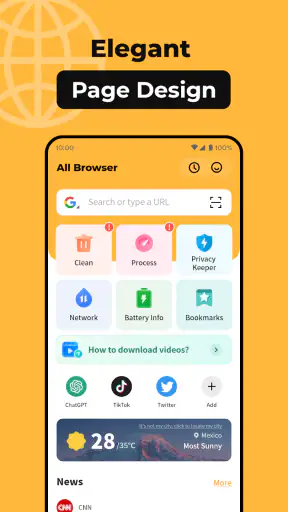
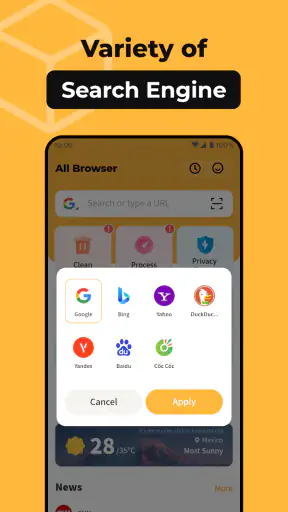
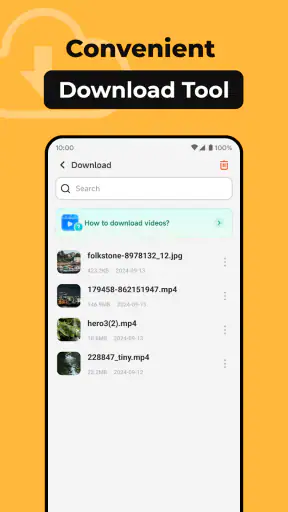
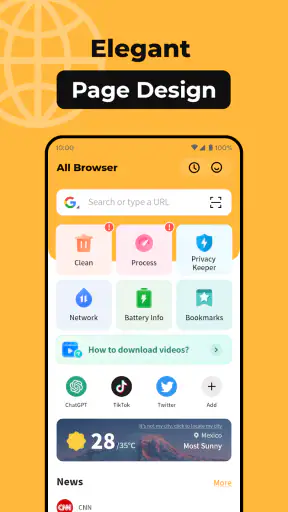
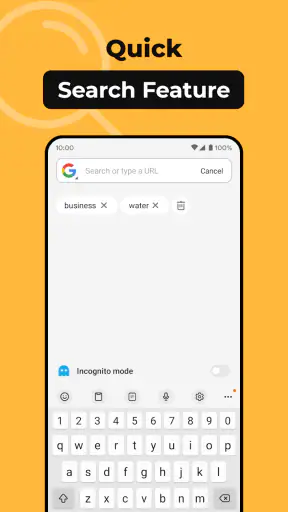
I approached All Browser as the kind of tool you open when you want to get from a question to a web page without turning browsing into a project. It is a free Android browser from Nullbyte Labs, listed for Everyone and designed around a very direct idea: open the app, enter a destination, and read. That simplicity is its main appeal, but it also sets a clear expectation. This is not the browser I would choose for every online task; it is the one I would consider when a lightweight, uncomplicated route to the web matters more than a long list of extras.
The app belongs in the Tools category, and its current version is 1.1.7. It runs on Android 8.0 or later, which makes it usable on many older phones that may struggle with heavier modern browsers. Its average rating is 4.0 from around fifteen thousand ratings, while the app has passed five million installs. Those figures suggest that the straightforward approach has found a sizeable audience, although they should not be mistaken for proof that it will suit every browsing habit.
From a quick need to a finished browsing task
The starting condition: when I want less ceremony
My typical starting point for a browser like this is a small, practical need: checking a timetable, opening a page from a message, reading a short article, looking up a product specification, or confirming an address. In those moments, I do not necessarily want a browser that feels like a complete desktop environment. I want the app to stay out of the way while I move from the first tap to the information I need.
That distinction is important because many people use the word “simple” to mean different things. For one person, it means a clean screen and a quick launch. For another, it means strong privacy controls, automatic organization, seamless synchronization, or powerful tab management hidden behind a calm interface. All Browser’s store summary presents it as a simple browser, so I judge it primarily as an access tool rather than assuming it offers the broader ecosystem associated with Chrome, Firefox, Edge, or other established alternatives.
I can see the strongest fit on a secondary phone, an older Android handset, or a device used by someone who does not want to learn a complicated browsing interface. It also makes sense for a temporary, focused task: open a page, read or complete something, then leave. The free price removes the usual barrier to trying it, and the Everyone age rating makes its intended audience broad.
There is a useful mental rule here: if your problem is “I need to reach a website,” this app may be worth trying. If your problem is “I need to manage a large, synchronized digital life across devices,” I would begin with a more established full-featured browser instead.
The first step: entering the destination
The workflow begins with the obvious handoff between intention and input. I have a destination in mind, whether that is a web address, a search phrase, or a page someone sent me, and the browser becomes the place where that intention is converted into a request. This is where a simple interface can be valuable: fewer visible choices mean less time deciding what to press before the actual task begins.
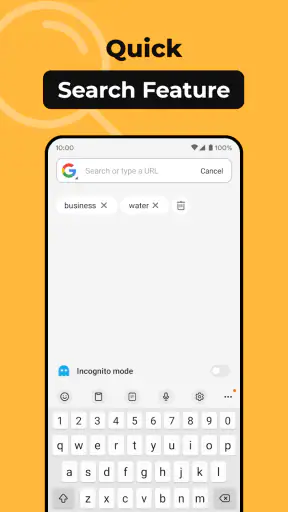
For everyday use, I would keep the input precise when I already know the page. Typing a complete web address avoids an unnecessary search step. When I only know the subject, a short search phrase is more practical. That sounds basic, but it is one of the small habits that makes a minimal browser feel faster: decide whether you are navigating or searching before you start typing.
On a phone, the keyboard is often the first real source of friction, not the browser itself. Long addresses, unusual punctuation, and tracking-heavy links are awkward to enter on any mobile device. My advice is to use the browser for direct, short tasks and let a message, note, or password manager handle information that is difficult to type manually. That creates a cleaner handoff and reduces mistakes before the page even begins loading.
Another practical use is opening a link from outside the app. A browser is rarely an isolated destination; it receives links from messaging apps, email, social networks, documents, and search tools. The quality of that handoff matters because the user’s real workflow starts somewhere else. All Browser is most appealing when I want the link to open in a dedicated, uncluttered place rather than continuing to work inside the app that originally displayed it.
Moving through the page: reading instead of managing
Once the page opens, my focus changes from input to comprehension. This is where the app’s basic character becomes clearer. A simple browser can be pleasant when the page itself is the important thing. I can read an article, inspect a form, compare a few details, or follow a short sequence of links without feeling that the browser is asking me to organize the session first.
That approach works especially well for one-direction browsing. For example, I might receive a message asking me to check whether a service is available in a particular area. I open the supplied link, enter the location, read the result, and send the answer back through the messaging app. The browser’s role is narrow but useful: it receives the request, displays the relevant page, and hands the outcome back to the conversation.
The same flow applies to checking a delivery page, reading a public notice, opening a recipe while cooking, or confirming a detail in a document. In each case, the browser is not the final destination. It is a short bridge between a question and an answer. I find that framing more helpful than expecting every browser to become a personal information center.
There is also a trade-off. Minimalism can reduce distraction, but it can leave you with fewer ways to shape a difficult browsing session. Pages designed for large screens may still be awkward on a phone. Long articles, complex checkout forms, and sites that depend heavily on advanced web behavior can expose the limits of a lightweight choice. When the page itself is complicated, the browser needs more than a clean entry point; it needs strong tools for recovery, organization, and continuity.
Handoffs between apps and people
The most realistic browsing sessions rarely end inside the browser. I may copy a sentence into a note, share a page with a colleague, return to a chat, or use information from the page in another app. Thinking about those handoffs helps me decide whether All Browser is appropriate. It is a good candidate when the browser is one step in a short chain rather than the place where the entire chain must be stored and managed.
A useful workflow is to separate discovery from action. I can use a search or message to find a page, use the browser to inspect it, then move the result into the app where the decision happens. For instance, when comparing two appointment times, I would not leave the final choice buried in a browser session. I would read the available options, copy the relevant time if needed, and send it to the person who needs to confirm it. This prevents the browser from becoming an accidental filing cabinet.
This is also where I would be cautious with sensitive tasks. A browser may display account pages, payment screens, health information, or work documents, but the right choice depends on the trust and security features I expect around those activities. For routine public pages, a simple tool is often enough. For banking, business administration, or accounts used across several devices, I would favor a browser with a long track record of security controls, updates, synchronization, and compatibility with the services I rely on.
The developer, Nullbyte Labs, has made an app that is easy to understand from the outside: it is a tool for browsing rather than a large suite of connected services. That clarity is helpful for casual users, but it also means I would not automatically transfer expectations from a major browser brand. Before making it my only browser, I would personally test the exact sites I use most, especially login pages, document tools, shopping checkouts, and media-heavy services.
The result: when the simple route is the right route
The best outcome is not a spectacular feature; it is finishing the original task without unnecessary detours. I open a link, find the relevant information, and return to what I was doing. For a person who mainly reads pages, checks facts, follows links, or handles occasional web forms, that can be enough to justify keeping a separate browser on the phone.
I also think the app could be useful as a backup browser. If my primary browser is crowded with open sessions, personal accounts, and saved work, a second option can provide a clean starting point for a one-off task. That separation is practical: everyday browsing stays in one place, while a quick lookup or temporary research session happens elsewhere. It is not a replacement for synchronization, but it can be a sensible division of responsibilities.
Older hardware is another realistic scenario. Android 8.0 support gives the app a broad compatibility range, and a person using an older phone may value a browser that does not make the device feel like it is constantly catching up. I would still judge performance site by site, because the complexity of modern web pages often matters as much as the browser application itself. A simple app cannot make every demanding website simple.
The four-point average tells me that users generally see value in the product, while also suggesting a mixed experience rather than universal approval. I read that as a reason to approach it with a specific use case in mind. If the app solves your need for direct browsing, the rating is encouraging. If you expect the complete feature set of a mature browser, it is better to test before switching.
Where the flow breaks
The workflow breaks first when I need continuity. If I move between a phone, tablet, and computer, I want my browsing context to follow me. The appeal of a simple browser weakens when I must manually recreate searches, find previously opened pages, or remember where a useful tab was left. For that kind of routine, an established browser with dependable cross-device tools is usually the better choice.
It also breaks when a session grows beyond a few related pages. Researching a purchase, planning travel, studying a topic, or comparing several services can quickly create a need for structured tabs, bookmarks, history controls, and easy recovery after an accidental close. A browser that feels wonderfully direct for one page may feel under-equipped once the task becomes a project.
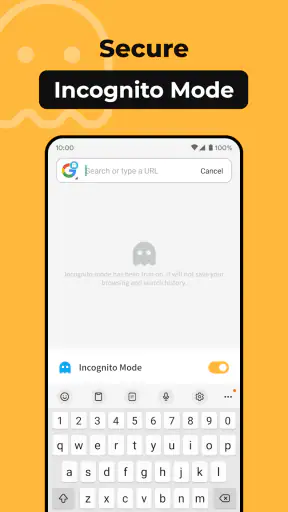
Privacy is another point where I would avoid assumptions. The word “simple” does not automatically mean private, and a quiet interface does not explain how a browser handles every kind of web activity. If privacy is the deciding factor, I would choose a browser whose privacy approach is clearly documented and whose controls match my needs. All Browser may still be useful for ordinary browsing, but I would not select it solely because it looks less complicated.
Compatibility can become a problem as well. Some websites are built around advanced scripts, embedded services, demanding media, or unusual login flows. If a page refuses to behave correctly, I would not spend a long time forcing the issue. I would copy the address into my primary browser and continue there. That two-browser fallback is one of the most practical ways to use a lightweight option: let it handle the easy majority, and keep a stronger alternative for exceptions.
People who depend on extensions, detailed developer tools, extensive customization, or tightly integrated password and account management should probably skip this app as their main browser. Those needs are not minor preferences; they shape the entire browsing workflow. A simple tool can be pleasant precisely because it does less, but doing less is a weakness when your work depends on browser-based tools.
Who I would recommend it to
I would recommend trying All Browser if you want a free, direct Android tool for opening websites and handling short browsing tasks. It is a particularly reasonable experiment for someone with an older compatible phone, a secondary device, or a strong dislike of crowded interfaces. The broad Everyone rating also makes it approachable for households where the browser needs to remain understandable rather than highly configurable.
I would not recommend replacing a trusted primary browser immediately. I would install this one, test the pages that matter to me, and use it for a week of ordinary tasks: links from messages, searches, reading, short forms, and sharing results. That trial reveals more than a feature checklist because it shows whether the handoffs in my daily routine feel smooth.
My final view is favorable but deliberately narrow. All Browser succeeds when the desired outcome is simply to reach the web, complete a small task, and move on. Its free availability, wide Android compatibility, and uncomplicated purpose make it easy to consider. The friction appears when browsing becomes a long-running workspace involving multiple devices, sensitive accounts, demanding sites, or extensive organization. I would keep it as a focused browser or backup rather than assume it should replace every alternative. Its real strength is not doing everything; it is making a small browsing job feel appropriately small.


